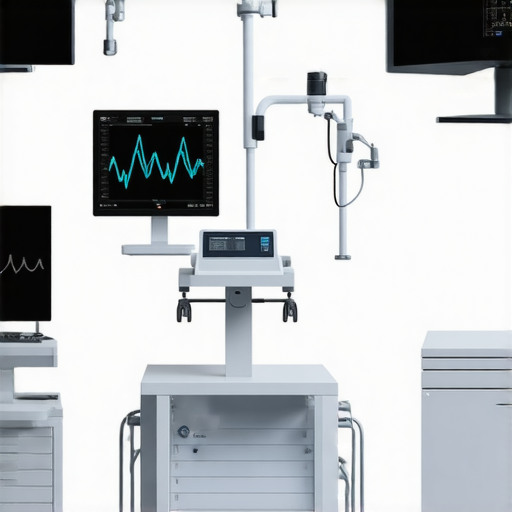
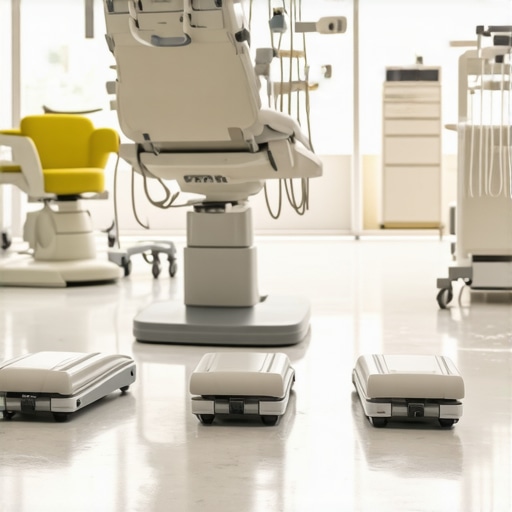
If you’ve ever wrestled with tangled cords, misplaced pedals, or cluttered countertops in your dental practice, you know the frustration firsthand. One morning, during a busy session, I reached for my wireless foot pedal—only to find it tucked behind a pile of masks and sterilization tools. That moment of panic and realization hit me hard. How could something so essential be so hard to find when I needed it most?
Transforming Chaos into Control: The First Step Towards a Cleaner, Safer Dental Environment
In my experience, managing wireless foot pedals in dental rooms isn’t just about tidiness—it’s about safety, efficiency, and ensuring top-notch patient care. When these pedals are misplaced or cluttered, it can lead to delays, miscommunications, or even safety hazards. The good news? With some simple strategies, I discovered a game-changer that not only cleared my space but also improved the overall workflow.
Are You Still Wasting Time Searching for Pedals?
Many colleagues tell me they face the same issues, often attributing it to a lack of proper organization. Early on, I made the mistake of stacking pedals haphazardly, thinking they’d stay put. But the truth is, without a designated spot, they tend to migrate, causing unnecessary delays. Trust me—investing in a dedicated tidying system made a world of difference. If you’d like, I can share how I organized my wireless foot pedals, inspired by some innovative solutions I found here—mobile workstations—which have completely transformed my daily routine.
Implementing proper organization didn’t just make my workspace look better; it improved patient safety and reduced stress. For example, I now know exactly where my pedals are, so I can focus on delivering the best care without interruptions. Plus, cleaner spacing means less risk of trip hazards or accidental disconnections. If this sounds familiar, stay tuned—I’ve got some actionable tips that helped me regain control of my dental room chaos.
Designate a Specific Spot for Each Pedal
Start by assigning a dedicated location for your wireless foot pedals—preferably a shallow, accessible tray or a mounted holder near your seating area. I once used an adhesive wall mount, which kept the pedal within arm’s reach but off the cluttered countertop. This simple step prevented me from digging through instruments during busy procedures, streamlining my workflow.
Create a Visual Cue System
Implement color-coded labels or symbols on pedals and their designated spots to reinforce placement consistency. For example, use green tags for the primary pedal and red for backups. During a hectic afternoon, this quick visual distinction made me grab the correct device instantaneously, avoiding accidental picks or misplacements.
Leverage Organized Storage Solutions
Invest in modular storage units like the modular nursing stations adapted for dental setups. These units enable flexible arrangements for pedals, cables, and related accessories. I experimented with stacking bins and drawer dividers that kept cords untangled, reducing confusion and preventing accidental disconnections.
Implement Regular Maintenance and Checks
Set scheduled intervals—perhaps at the end of each day—to verify pedal placement and functionality. I found that a quick five-minute checklist minimized lost devices and extended battery life. When I neglected this, I once discovered a pedal behind a stack of sterilization packs, causing delays the next day. Regular checks prevent the chaos from building up.
Use Digital Tagging Technology for Asset Tracking
For practices with multiple clinicians or units, consider RFID tags or Bluetooth trackers on pedals. This allows real-time location tracking via smartphone apps, akin to tracking luggage at the airport. I trialed an RFID system previously, which drastically cut down the time spent searching during emergencies. Technology like this can be a game-changer, especially in larger clinics.
Example of Effective Pedal Management
Once, during a particularly busy clinic day, I implemented all these steps simultaneously—including dedicated racks, visual cues, and regular checks. When a pedal went missing during a procedure, I immediately located it on the mounted holder, preventing a misstep. The clarity of the system kept the team focused on patient care rather than equipment hunts.
Incorporate Patient Safety Measures
Ensure cords are secured and pedals are stored to prevent tripping hazards. Use cable clips or cord covers to keep wiring neat, reducing accident risks. A colleague once tripped over a loose cable, leading to a near-fall—small changes in organization avert such safety incidents. Proper storage isn’t just about convenience; it’s about protecting everyone in the room.
Optimize Workflow with Mobile and Modular Units
Consider mobile workstations or modular units like the mobile workstations. These allow you to bring essential equipment closer to the patient, minimizing movement and clutter. During a radiographic procedure, I used a portable cart to keep pedals, cameras, and disinfectants within arm’s reach, which improved efficiency and reduced room traffic.
Many healthcare professionals operate under the assumption that all medical equipment and supplies are straightforward and infallible, but this belief can lead to overlooked nuances with serious consequences. One common misconception is that newer, technologically advanced devices automatically eliminate errors—yet, in my experience, improperly calibrated or misunderstood equipment remains a leading source of mishaps. For instance, many assume that all digital sensors, like dental X-ray sensors, are foolproof, but calibration drift over time can cause inaccuracies if not routinely checked, risking misdiagnosis. The myth that all suppliers provide compatible and universally effective supplies is another trap; incompatibilities or subpar materials can degrade device performance. Most practitioners don’t realize that even the best equipment benefits from regular maintenance and expert understanding of its limitations. A critical nuance often missed is the importance of context—some devices require specific workflows or environmental conditions to perform optimally. For example, modular nursing stations are fantastic, but only if customized to fit the specific size and workflow of your practice. Ignoring these subtleties can lead to underperformance or damage. On top of that, many don’t realize that advanced devices, such as smart socks for diabetic foot health, rely heavily on proper usage and patient compliance; technology alone can’t fix all issues. What most people get wrong is the habit of equating innovation with perfection—without considering that some models need tailored adjustments beyond generic instructions.
In terms of common errors, mismatched equipment and supplies are frequent culprits, leading to increased costs and downtime. For example, using incompatible blood-repellent face shields with existing sterilization protocols can reduce their effectiveness and compromise safety. To avoid these common pitfalls, ensure your team understands the specifics of each device—consult manufacturer guidelines, perform routine calibrations, and stay updated with innovations, like mobile workstations, that can be customized to your practice’s unique needs. Remember, embracing continuous education about your tools is key to maximizing their potential and safeguarding patient safety.
**What is the most overlooked nuance in your practice’s equipment management? Have you ever fallen into this trap? Let me know in the comments.**
Why Regular Maintenance Is a Game Changer
In my practice, consistent upkeep of medical devices and supplies is essential to ensure longevity and optimal performance. I personally schedule bi-monthly checks for critical equipment like dental X-ray sensors and smart socks for diabetic foot health, which helps in early detection of potential issues and prevents costly breakdowns. This proactive approach minimizes downtime and ensures reliable results for patients, which is why I recommend setting up a dedicated maintenance routine tailored to each device’s specifications.
How do I maintain medical tools over time?
Remarkably, advanced tools such as digital X-ray sensors require routine calibration—ideally, every three months—to maintain accuracy. Likewise, smart socks benefit from firmware updates and battery checks, which I do monthly. Leveraging manufacturer guidelines, I keep a detailed log of maintenance activities to track performance trends and plan replacements before failures occur. As technology evolves, so does the need for diligent upkeep—it’s the best way to ensure your investment continues to serve your practice efficiently.
Tools I recommend for effective maintenance
For equipment calibration and cleaning, I rely heavily on specialized tools like sensor cleaning kits from authorized vendors, which I use monthly for my dental X-ray sensors. These kits remove residue and prevent cross-contamination, extending service life. For digital asset tracking, RFID tags have become invaluable; I attach these to vital supplies like blood-repellent face shields, which allows me to monitor inventory and locate items swiftly via dedicated apps, reducing waste and ensuring readiness (more on RFID usage here). Investing in quality maintenance software also streamlines scheduling and alerts for calibration deadlines, making it easier to stay ahead of potential issues.
Predicting the future of equipment upkeep
I believe that predictive maintenance, powered by IoT sensors and AI analytics, will dominate future practices. These technologies will enable real-time performance monitoring and automatic alerts before devices degrade, saving time and money. For example, integrating smart diagnostic tools with predictive algorithms could revolutionize how we manage routine checks, making maintenance more efficient and less intrusive.
Next-level maintenance tips worth trying
One practical tip: incorporate digital tagging technology like RFID on your most-used supplies and devices. It not only enhances asset management but also helps identify issues early—imagine discovering device anomalies through data overlays before performance drops. Embrace these advancements, and you’ll keep your practice running smoothly while extending equipment lifespan. Have you tried RFID for maintenance yet? If not, now’s the perfect time!
Over the years, I’ve realized that the real game-changer in dental practices isn’t just acquiring the latest devices but mastering the nuances of their management. One profound lesson was understanding that equipment performance hinges on meticulous upkeep and strategic organization. This insight transformed my approach, turning seemingly complex maintenance routines into streamlined, daily habits that saved me time and enhanced patient safety. Embracing such insider wisdom can elevate your practice from good to exceptional, ensuring that each piece of equipment serves its purpose flawlessly, ultimately delivering better patient outcomes.
What I Wish I Could Tell Every Dental Practitioner’s Inner Circle
- Consistent calibration is non-negotiable: Regularly calibrated devices like digital X-ray sensors prevent costly misdiagnoses. I learned this the hard way when skipping routine checks led to inaccurate readings and delayed treatments. It’s a simple step that pays off immensely.
- Organization is a safety net: Assigning designated spots for all tools and devices minimizes mishaps. Using visual cues, such as color-coded labels, saved me during busy hours—no more frantic searches that compromise focus and safety.
- Technology needs human oversight: RFID tags and Bluetooth trackers are fantastic, but they require proper setup and maintenance. I’ve found that combining tech with routine manual checks ensures nothing slips through the cracks.
- Preventive maintenance is an investment: By scheduling bi-monthly device inspections, I’ve extended equipment lifespan and avoided emergency downtimes. It’s about proactive care, not reactive fixes.
- Every device has its quirks: Understanding the limitations and environmental needs of each piece, like modular nursing stations, ensures optimal performance. Tailoring setups to your practice’s workflow makes all the difference.
My Essential Arsenal for Equipment Mastery
- Calibration tools from authorized vendors: These kits are reliable and crucial for maintaining accuracy, especially for sensitive devices.
- RFID tagging systems: I trust these for real-time asset tracking; they’ve saved countless minutes and prevented asset loss.
- Maintenance scheduling software: Automated alerts keep me on top of calibration deadlines and service checks, reducing manual oversight.
- Educational resources from trusted sources: Staying updated with the latest industry insights ensures I don’t fall behind on best practices.
Fuel Your Practice’s Future with Proven Action
Now is the time to take charge of your dental equipment management and unlock new levels of efficiency and safety. By integrating these insider strategies, you’ll not only optimize your workflow but also create a safer environment for both staff and patients. Remember, true mastery comes from continuous learning, proactive maintenance, and thoughtful organization. Don’t wait for a mishap to teach you its lesson—be proactive and elevate your practice today.
What’s the one equipment management challenge you’ve yet to conquer? Share your experience below—I’d love to hear your story!
}}}}**